Ask your Envoy.
No need to annoy everyone asking if they're available next Tuesday.

1. Open your Envoy
Once your Envoy is set up, click My Envoy in the top bar to open the conversation.
1
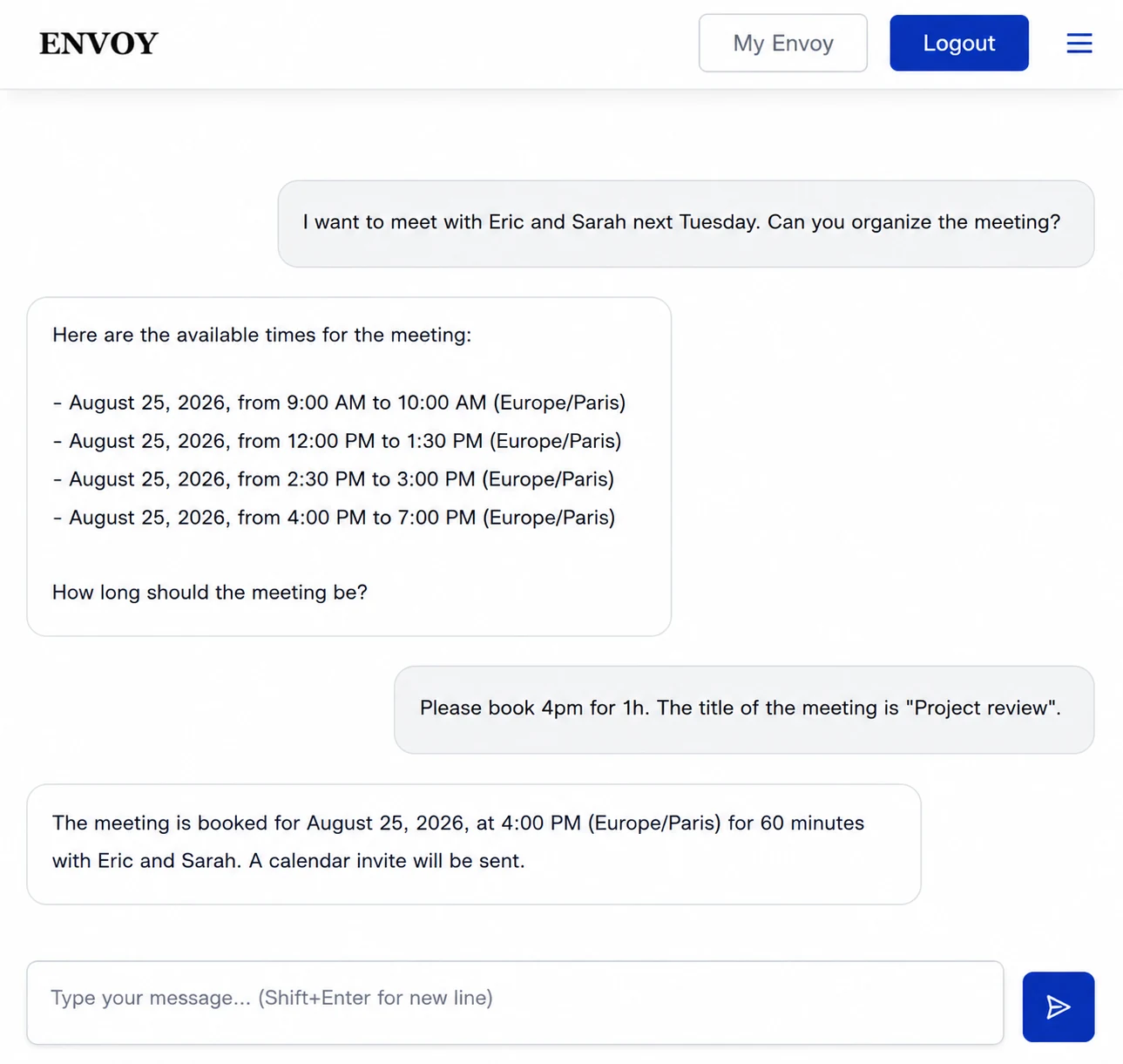
Tell your Envoy what you want
Tell it who you want to meet and when.
2
Your Envoy proposes the times that work
It checks the calendars it has access to and comes back with the times that work for everyone.
3
Pick a time and complete the details
Choose the time, duration and meeting title. If you leave something out, your Envoy asks for what it needs before scheduling the meeting and sending the invitations.
No scheduling ping-pong. Just a meeting in the calendar.